Password managers to compare with LastPass
Six dedicated alternatives to investigate for your devices, sharing needs and recovery plan. Verify the migration path before leaving your existing vault.
We may earn a commission from qualifying links. Affiliate disclosure · How we compare

1Password
1Password is a paid password manager with individual and family accounts. Its account password and Secret Key work together to protect the vault. Shortlist it for a household that needs private items alongside shared logins, and make the Emergency Kit part of setup rather than a task for later.
- Separate private and shared vaults
- Apps for major desktop and mobile platforms
- Watchtower flags credentials needing attention
Before you choose The Secret Key is not a substitute for the account password. Plan recovery and compare the renewal price after any introductory offer.

NordPass
NordPass provides a dedicated vault for passwords and passkeys, with free and paid offerings to compare. Start with the devices and concurrent access you need, then check sharing, exposure checks and recovery on the actual plan. Another Nord-branded subscription does not automatically establish your NordPass entitlement.
- Dedicated password and passkey storage
- Free and paid personal options
- Sharing and account-health features to compare
Before you choose Verify plan-specific limits and recovery before migrating. Encryption terminology alone does not measure the safety of your entire setup.

Keeper
Keeper offers a password vault with paid cross-device plans and a family option. Its personal plan comparison makes Emergency Access and secure sharing useful points to investigate. Compare optional additions separately, especially if a breach-monitoring or file-storage feature is the reason you are considering it.
- Paid cross-device password and passkey storage
- Family plan with separate private vaults
- Emergency Access on eligible paid plans
Before you choose The free tier is a limited mobile option. BreachWatch and some storage or support services are separate additions; verify the checkout contents.

Proton Pass
Proton Pass combines a password vault with hide-my-email aliases. The free plan offers unlimited logins and device use with a limited alias allowance; paid features extend that toolkit. It is a strong option to investigate when avoiding password reuse and reducing exposure of your primary email are both priorities.
- Ongoing free vault with device synchronization
- Email aliases alongside stored logins
- Passkey support on compatible services
Before you choose Paid-only capabilities include some sharing, monitoring and recovery features. An alias forwards mail; it does not make every account anonymous.

Dashlane
Dashlane offers paid personal password management with synchronization, sharing and security-related extras. Its Family plan is worth comparing for a larger household, but read the member entitlements carefully: the advertised VPN benefit is for the plan manager, rather than every family member.
- Paid password management across devices
- Family offering for up to ten accounts
- Sharing and account-security tools
Before you choose The personal page lists a trial rather than an ongoing free plan. Family members do not all receive the manager’s VPN entitlement.

Bitwarden
Bitwarden’s free individual plan includes unlimited vault items and access across devices. Paid personal features and organization-based sharing are separate choices. It is a useful starting point when you want to replace password reuse without making a subscription the first requirement.
- Unlimited free personal vault storage
- Synchronization across devices
- Separate options for sharing and paid recovery features
Before you choose Premium individual and Families are different offers. Check organization membership and sharing rules instead of assuming an individual upgrade covers a household.
Sources and how to use this shortlist
These summaries use provider documentation and our selection advice, not hands-on performance scores. Features, plans, and regional availability can change. Confirm the first payment, renewal cost, and cancellation terms before subscribing.
- 1Password product documentation
- NordPass product documentation
- Keeper product documentation
- Proton Pass product documentation
- Dashlane product documentation
- Bitwarden product documentation
Sources checked September 25, 2026. Full reviews explain the scope and limitations in more detail.

Bitwarden, 1Password, and NordPass are useful alternatives to compare. The important part of switching is verifying the new vault, protecting the export, and changing credentials where your risk assessment calls for it.
Separate the product decision from the security response
You might leave a manager because of cost, usability, sharing needs, or a security concern. Name that reason first. A new interface may improve daily use, but importing old passwords into another vault does not change the passwords on the websites themselves.
LastPass’s 2023 incident update describes the theft of customer vault backups in the 2022 incident. Sensitive vault fields were encrypted, while some metadata was not. That history is relevant to a trust decision without establishing the risk of every individual account or the state of the current service.
If incident exposure is your concern, follow the provider’s current recommendations and prioritize important reused credentials. Do not treat migration alone as a complete response.
Build a shortlist around the missing capability
| Alternative | Reason to investigate | Migration question |
|---|---|---|
| Bitwarden | Free core features and broad device access | Does the import preserve the fields you rely on? |
| 1Password | Separate account protection and family recovery planning | Where will the Emergency Kit and recovery materials live? |
| NordPass | A password-and-passkey workflow | Which item types and platform features transfer? |
Test the browser extension and phone app with a few representative accounts. Include an unusual login, a secure note, and a shared item if those matter to you. A successful import count does not prove that every item has the expected fields or permissions.
Check renewal and family terms before moving the whole household. A low first-year cost is not necessarily the long-term cost of the arrangement you need.
Handle the export as sensitive data
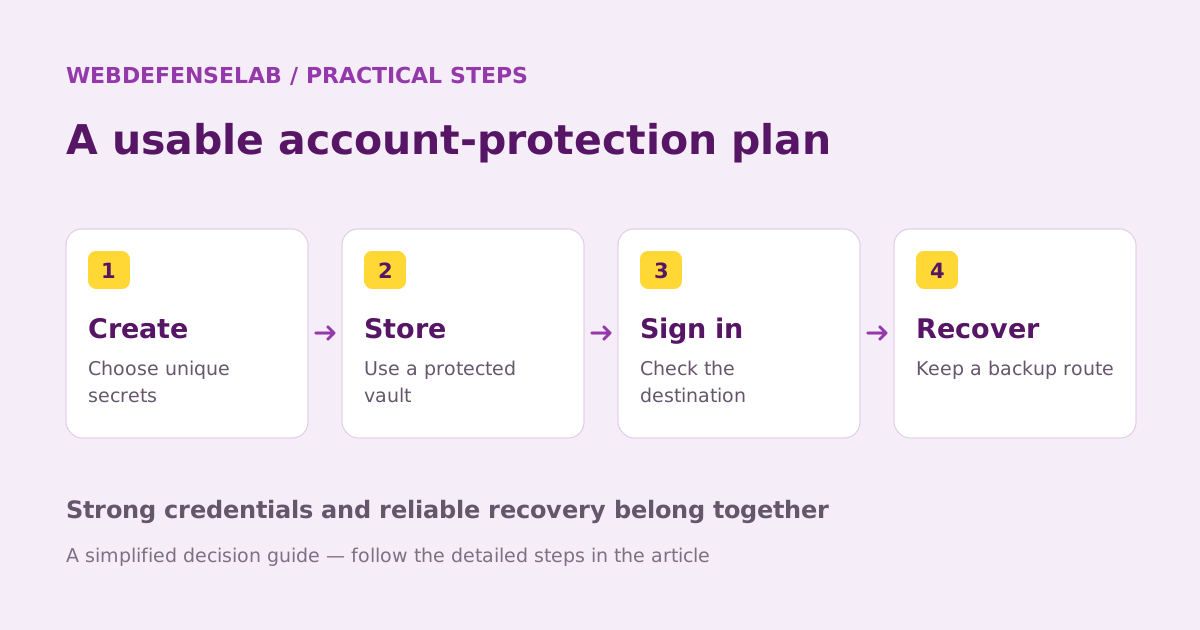
Password exports are often readable files. Use a trusted device and a private location, keep the file only as long as needed, and avoid uploading it to online conversion tools. If a migration instruction asks you to paste the vault into an unfamiliar website, stop and verify the route.
After importing, check important logins manually. Confirm the website address, username, password, notes, and any extra fields. Review attachments and passkeys separately because they may not be represented in a standard CSV export.
Keep the old vault available until you have verified the data and recovery route. Then remove temporary plaintext files and inspect any synced folders or backups that may have captured them. Deleting one visible copy may not remove every copy.
Finish the move on the actual accounts
If a password needs changing, update it through the account’s official website and save the replacement in the new vault. Begin with primary email and other recovery accounts. Enable stronger sign-in protection where appropriate and review active sessions.
For a family, migrate shared accounts deliberately. Avoid leaving one person with an outdated shared item while another has already changed the live password. Record completion without putting the credentials in the migration checklist.
Only cancel the old service after checking billing, remaining data, and access. Compare 1Password with LastPass for a closer look at account architecture, or our password-manager shortlist for the wider choice. We do not claim a migration automatically removes all risks from a past exposure.
Sources & review notes
Source review: September 25, 2026. This is a documentation-based assessment; we have not measured alert speed, product performance, or support outcomes. Product terms can change.
About the author
 Clara WeissVPNs, passwords & digital privacy
Clara’s coverage focuses on VPN privacy, transparent product documentation, password-manager recovery, and the practical limits of encrypted connections. Start with the VPN explainers for help turning a feature list into a useful decision.
View profile and articles